Need a circular graphic for a presentation or a starting point for a geometric design? This free EliteNuggets pack brings together radial arrow marks and labeled circular process diagrams, with AI, PSD and PNG files.
Get the free radial graphics pack — registration and login are required. No payment is needed.
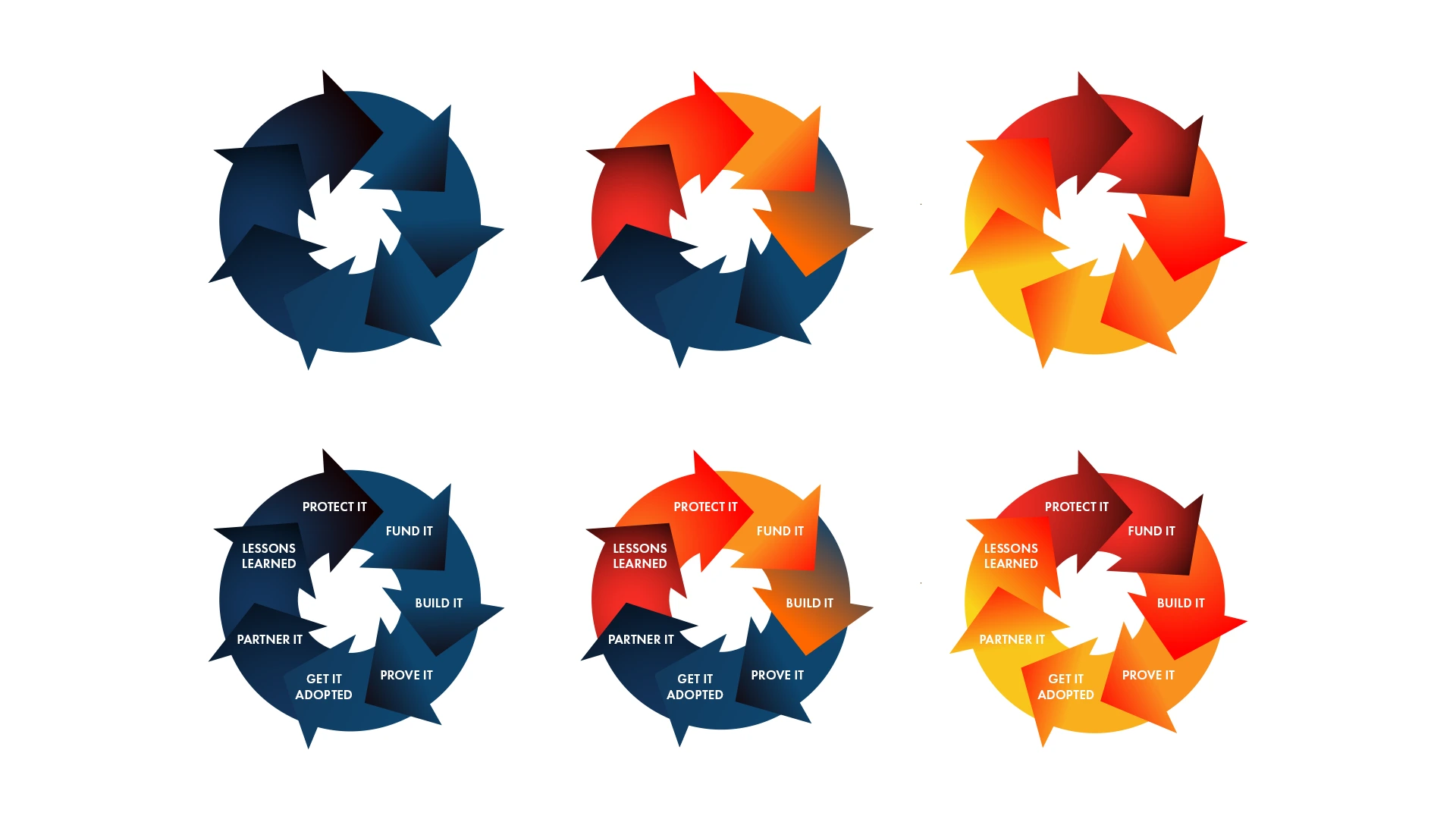
What’s included in the free download?
- One AI file: open in Adobe Illustrator to work with the vector artwork.
- One PSD file: open in Adobe Photoshop and inspect the document’s layer structure before editing.
- Seven PNG exports: use the individual graphics or the overview image in apps that support PNG.
- README and license: setup instructions and the terms for personal and commercial use.
Three color directions, two ways to use them
The deep blue variant suits restrained presentation layouts. The mixed blue and orange version introduces a stronger contrast, while the red and orange version adds warmth and energy.
Each direction includes a plain radial mark and a labeled process diagram. The labeled versions show a seven-stage cycle: Protect It, Fund It, Build It, Prove It, Get It Adopted, Partner It, and Lessons Learned.
Ideas for your next project
- Illustrate a recurring process in a pitch deck or workshop presentation.
- Explore circular compositions in a moodboard or identity concept.
- Use a radial mark as a supporting graphic in social content or a report.
- Adapt the vector artwork into a diagram that matches your own workflow.
For a process diagram, keep the labels short and check their readability at the final display size. When a cycle has a defined start, explain where readers should begin.
How to download and use the files
- Open the free asset page and review the preview, file formats and license.
- Create an EliteNuggets account or log in to your existing account.
- Download the ZIP, extract it, and read the included README.
- Choose AI for vector work, PSD for Photoshop work, or PNG for placing an exported graphic.
- Save your edits as a separate copy so you can return to the original files.
Illustrator and Photoshop are required to edit their respective source formats. PNG files can be used in other compatible apps. Compatibility with specific software versions has not been tested.
Can I use the pack in commercial projects?
Yes. You may edit the artwork and use it in personal, commercial and client projects. You may not resell, redistribute, sublicense, or offer the source pack — including modified versions — as a standalone download. Attribution is appreciated but not required.
The pack is shared with other users. It does not grant exclusive ownership or trademark rights, so treat the marks as shared design resources when exploring identity concepts.
Get the free pack
Download Free Radial Geometric Marks & Circular Process Diagrams. Choose a color direction, explore the source files, and make the artwork work for your layout.